4. Network (Multi-Zone)
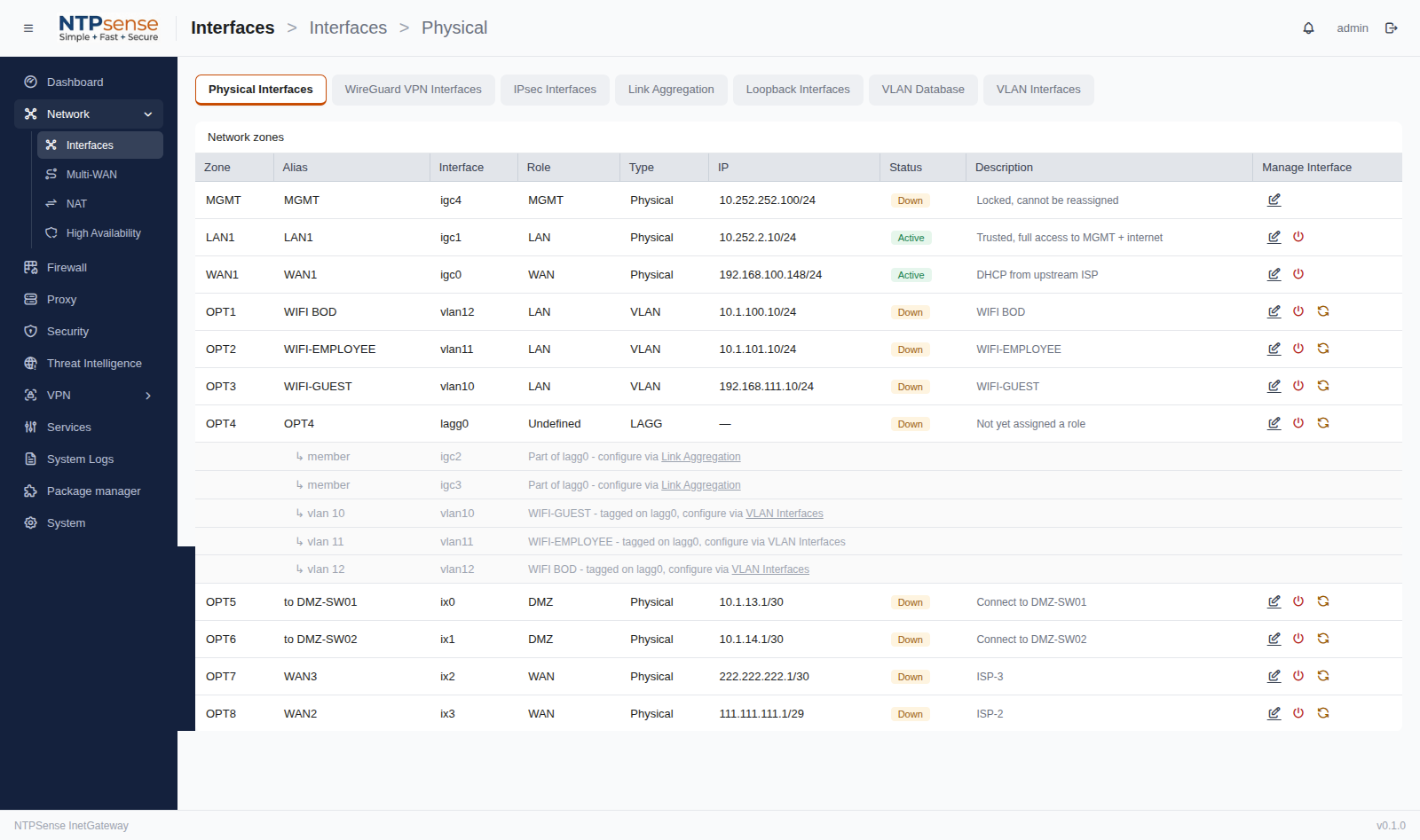
The Network page lets you review and adjust your zone configuration, including the factory-assigned port roles, plus configure per-interface settings.
4.1 Zones and Roles
| Term | Meaning |
|---|---|
| Zone | A named grouping — MGMT, LAN1, WAN1, or OPT1 through OPTn. Fixed once assigned during install, except OPT zones which can be relabeled. |
| Role | A classification (MGMT/LAN/WAN/DMZ/Undefined) applied per interface. Only OPT interfaces have an assignable Role; MGMT/LAN1/WAN1 have fixed roles matching their zone. |
Interfaces
4.2 Changing an Interface's Subnet or Mode
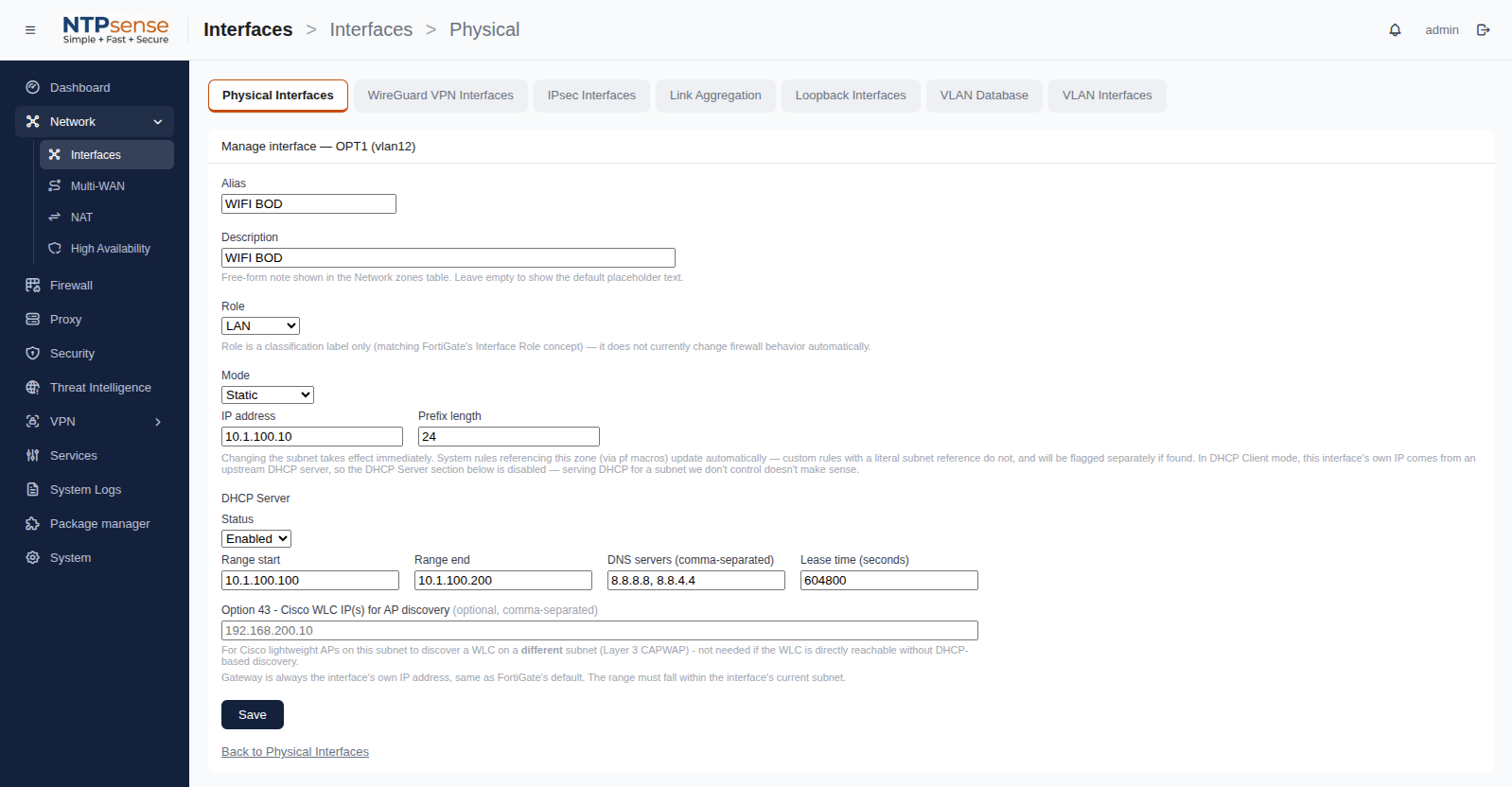
Select a zone from the Network page to change its static subnet (LAN1, OPT) or toggle WAN1 between DHCP and Static addressing. Changes that would disrupt active firewall rules show a warning listing exactly what's affected before you confirm — nothing is changed silently.
 Interface Properties
4.3 LAGG (Link Aggregation)
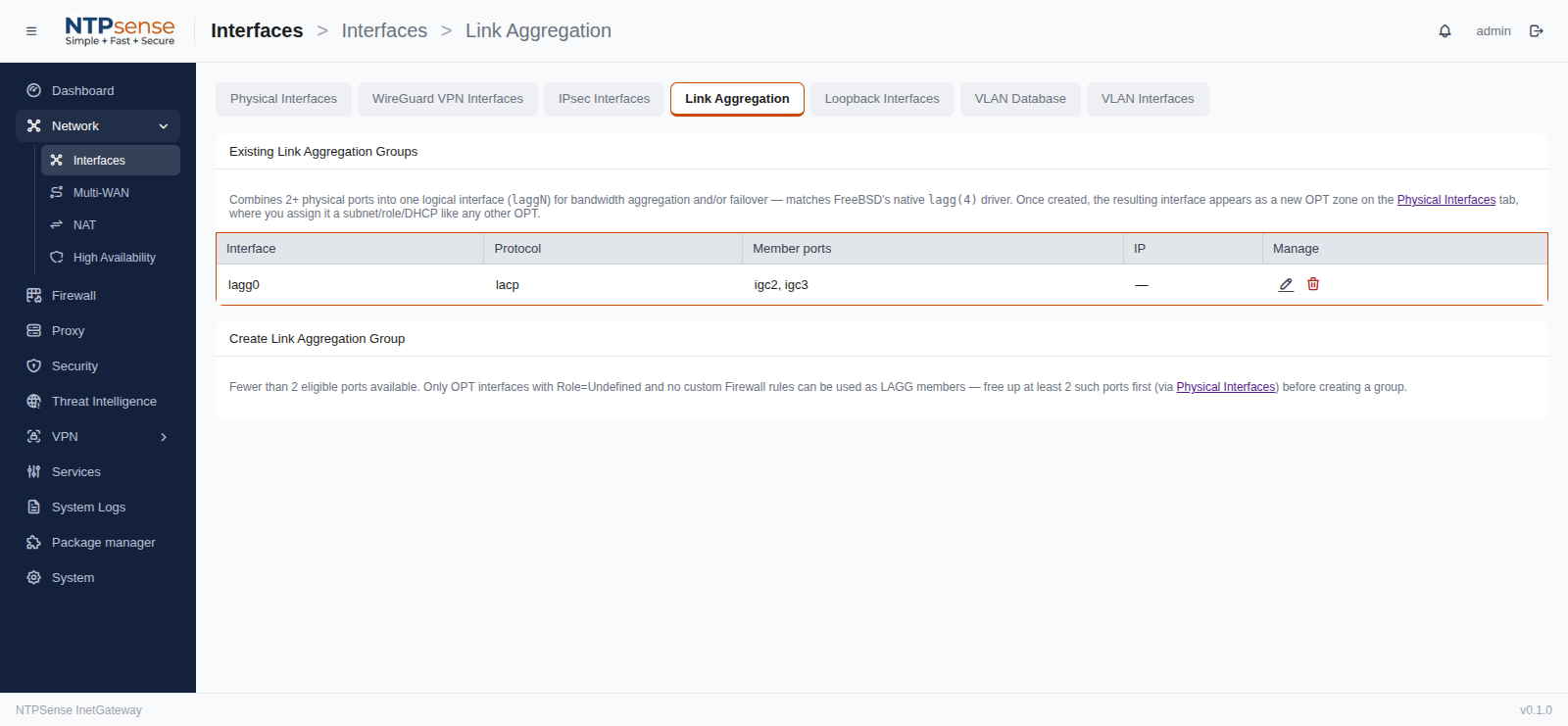
Unused OPT interfaces can be combined into a LAGG group (e.g. for a higher-bandwidth uplink to a switch) from the Network page. LAGG changes reconfigure the interface live via native FreeBSD LAGG, no reboot required.
 LAGG (Link Aggregation)