3. Dashboard
The Dashboard is the first page you see after logging in, giving you an at-a-glance view of system health.
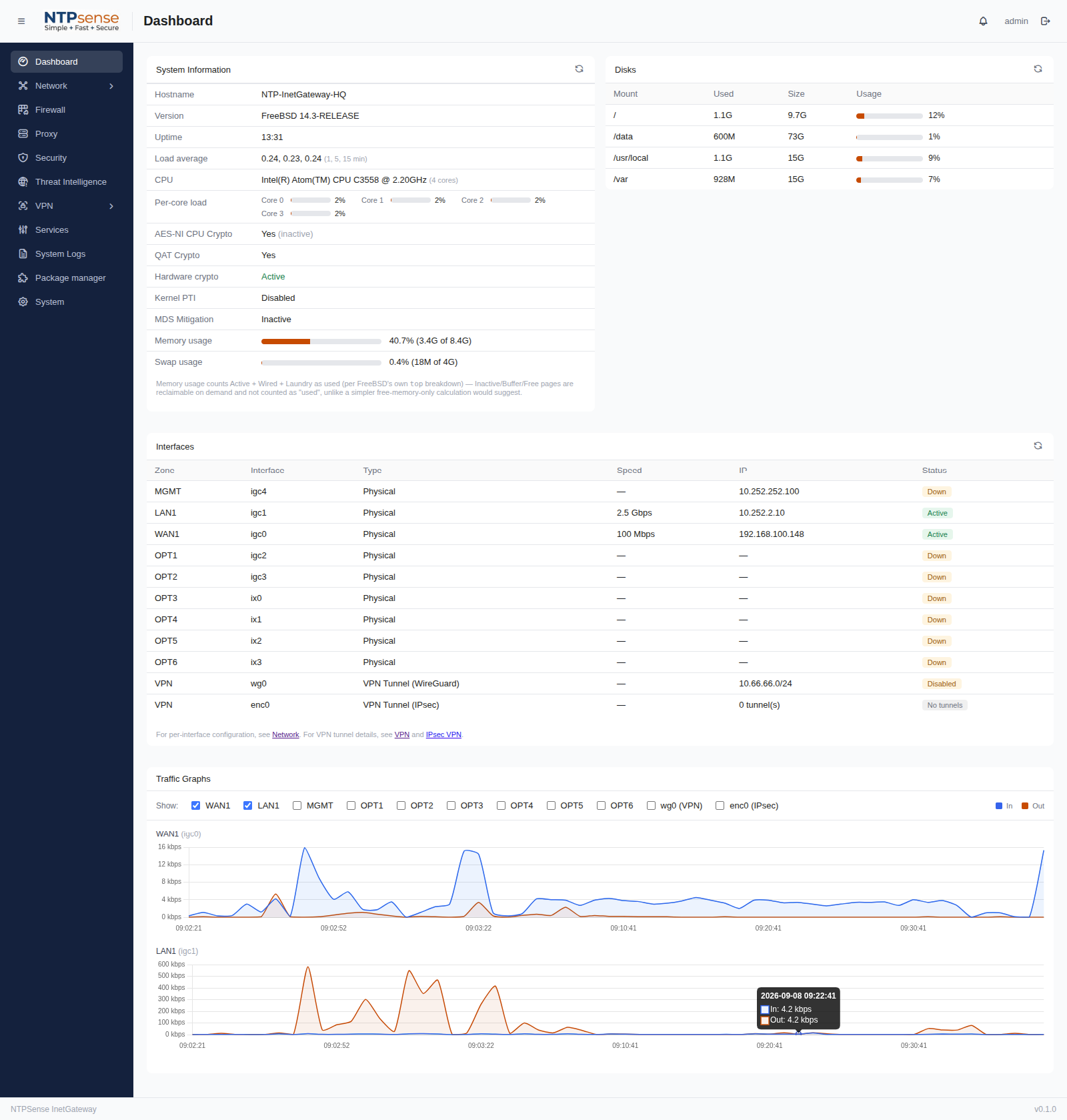 Full dashboard page
3.1 System Information
- Hostname, FreeBSD version, uptime, and load average.
- CPU model and core count, plus a live per-core load bar for each core.
- Hardware crypto acceleration status: AES-NI, Intel QuickAssist (QAT — present on select Atom C3000-series and Xeon-D platforms), overall hardware crypto state, Kernel PTI, and MDS mitigation.
- Memory and swap usage, shown as a percentage with a progress bar.
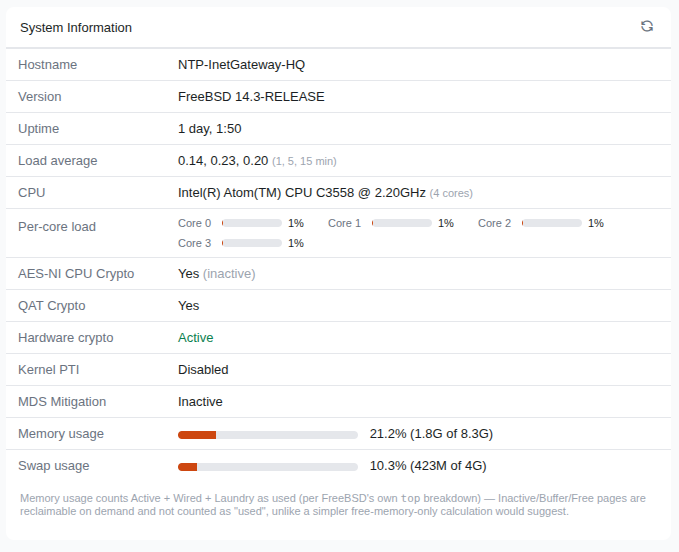 System Information
3.2 Disks
Shows used/total space and percentage for each mounted filesystem (/, /data, /usr/local, /var).
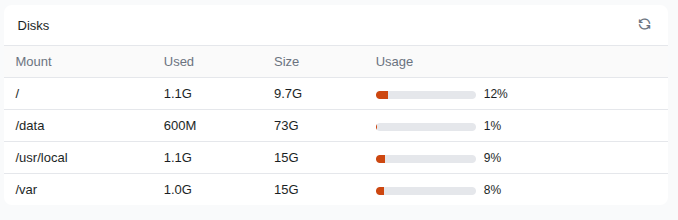 Disk
Disk
3.3 Interfaces
Lists every zone (MGMT, WAN1, LAN1, OPT1–OPTn) with its physical interface name, link speed (e.g. "2.5 Gbps", "100 Mbps" — the speed actually negotiated with the device on the other end, not necessarily the port's maximum capability), current IP address, and status (Active/Down). VPN tunnels (WireGuard, IPsec) appear in the same table when configured.
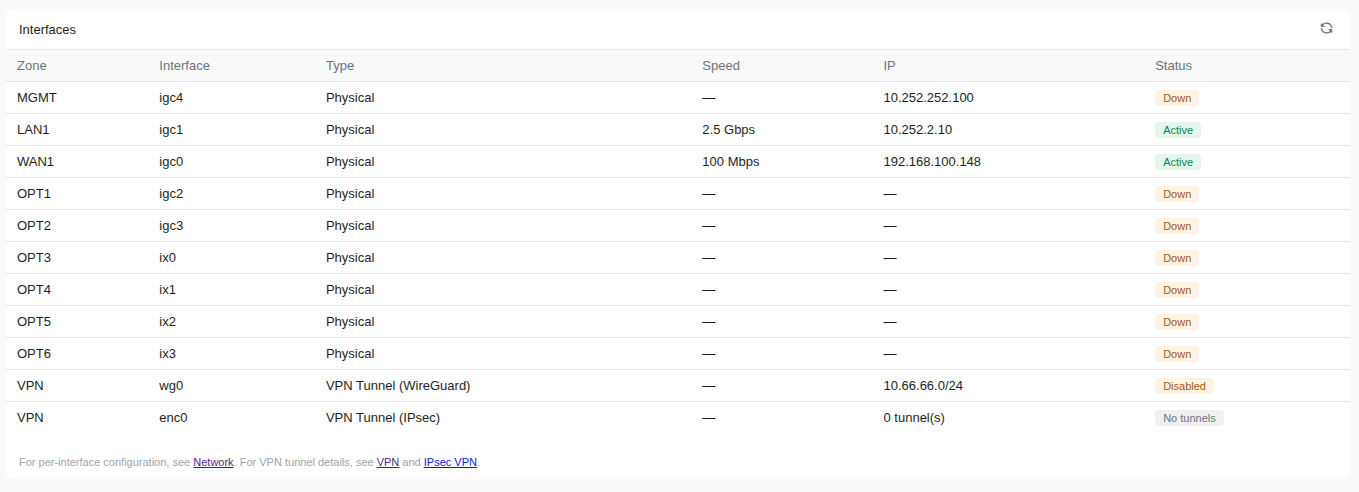 Interfaces
3.4 Traffic Graphs
Live in/out throughput graphs per zone, toggleable via the checkboxes above the graph.
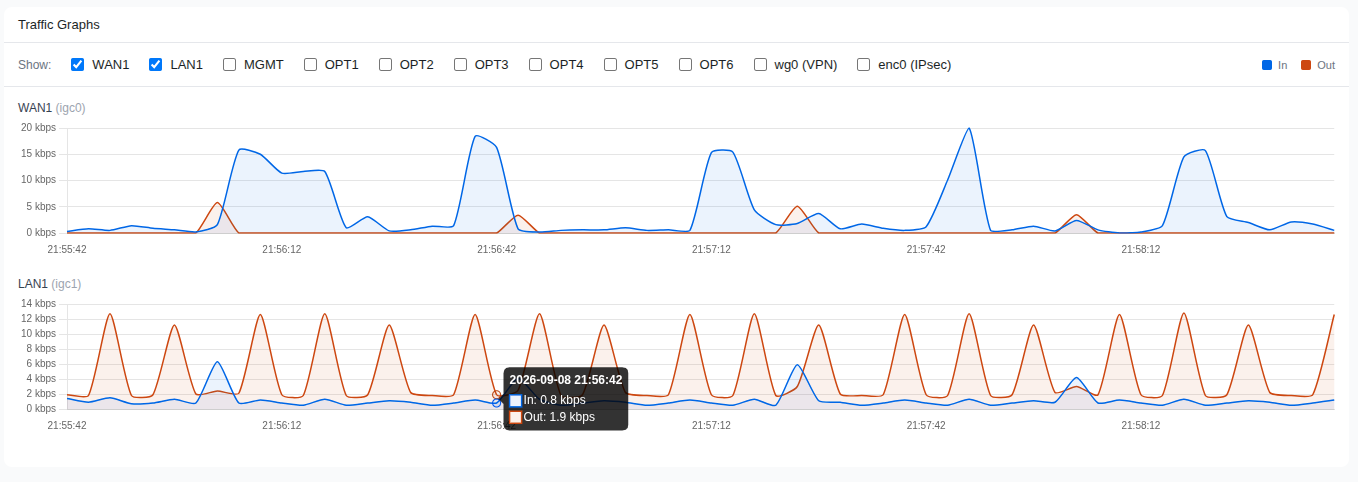 Traffic Graphs