9. System & Console
9.1 Backup and Restore
- Go to System > Backup & Restore and click Download Backup.
- Store the file safely — it contains your full configuration, including secrets like VPN keys.
- To restore, upload the same file on this tab.
Note
Backup files are signed (HMAC) so the gateway can detect a corrupted or tampered file before restoring it.
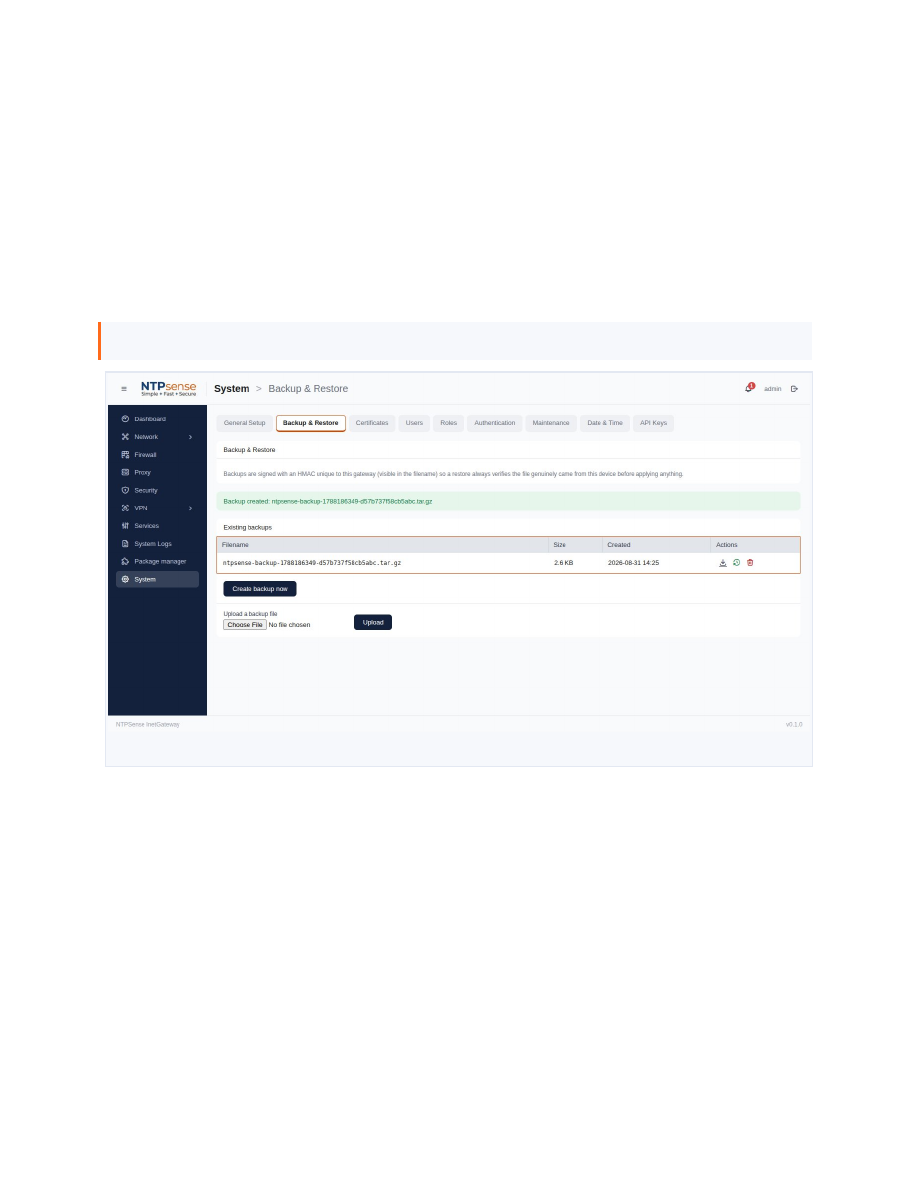 Backup & Restore
9.2 Package Manager
Optional components (Suricata, WireGuard tools, strongSwan, FreeRADIUS, OpenVPN, and others) are installed as standard FreeBSD packages here — no shell access required.
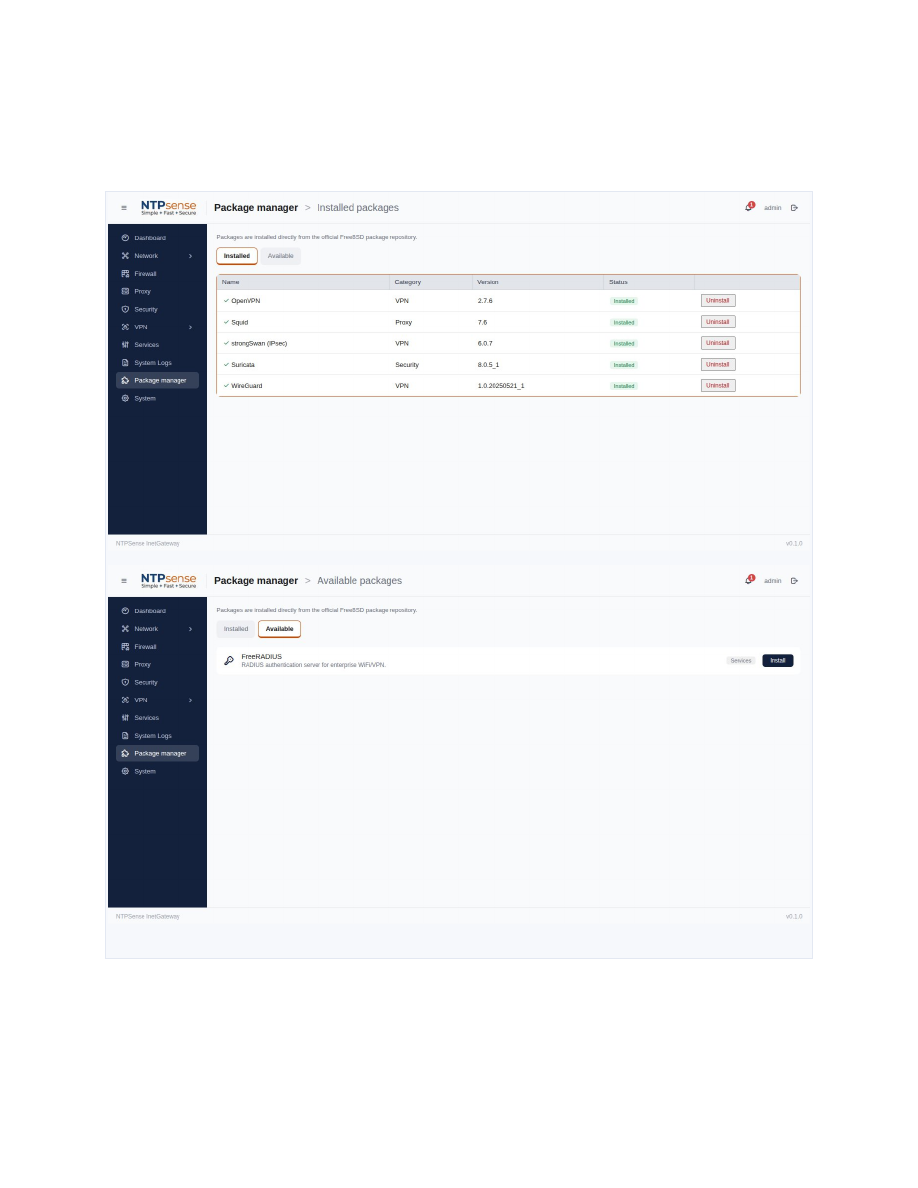 Package Manager
9.3 User Accounts and Roles
- Administrator — full access, including destructive operations.
- Network Operator — day-to-day configuration, no destructive system-level actions.
- Auditor — read-only.
The built-in admin account cannot be deleted or demoted.
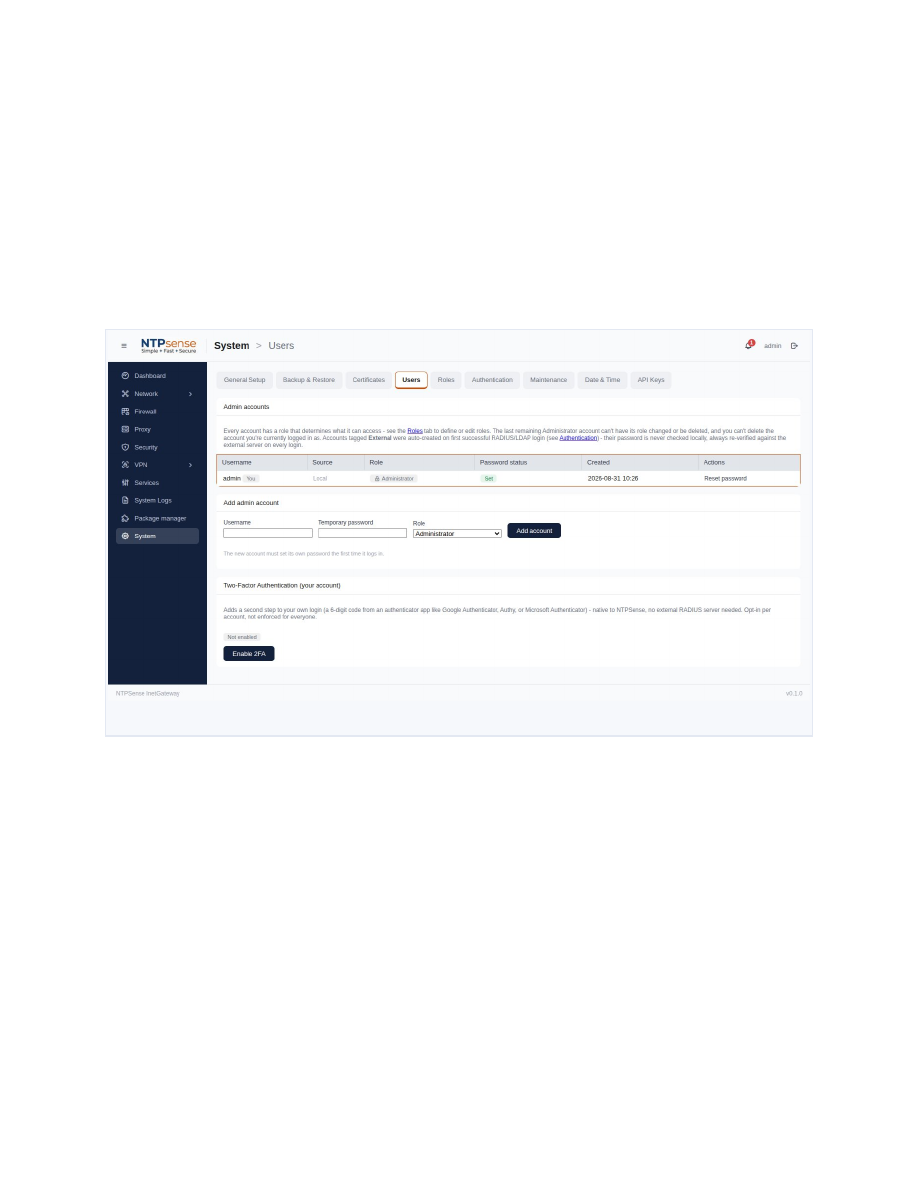 User accounts and role assignment
9.4 Console Menu
A full administration menu is available over SSH or a direct console connection, using the same accounts and roles as the Web UI. Option numbers stay consistent regardless of which role is viewing.
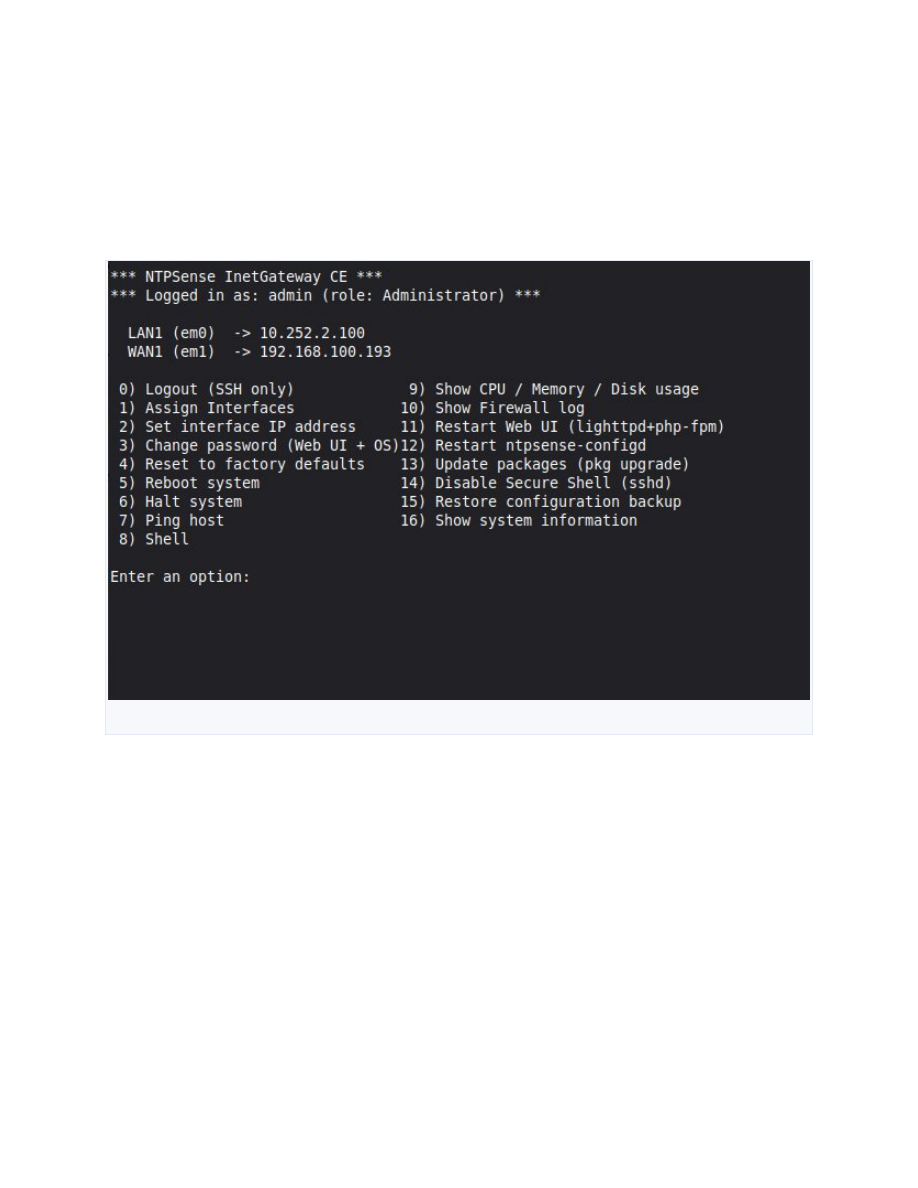 Console administration menu