8. VPN
8.1 Overview
- WireGuard — fast, modern, ideal for personal remote access.
- OpenVPN — certificate-based, works over TCP/443, blends in through strict firewalls.
- IPsec — industry-standard site-to-site tunnels.
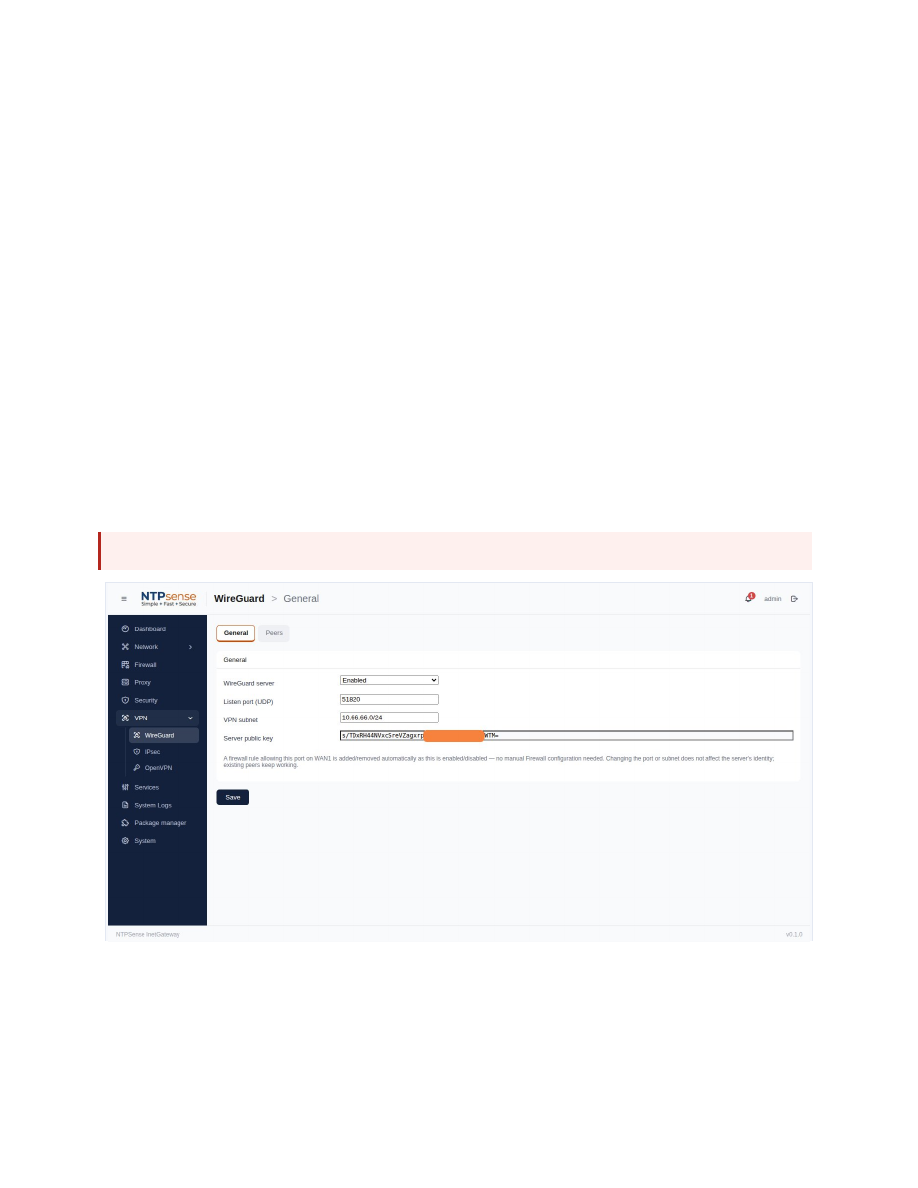 VPN overview
8.2 WireGuard
- Enable it, choosing a listen port and an internal VPN subnet.
- Go to Peers and click Add Peer.
- Copy or download the generated client configuration — shown only once.
- Import it into the WireGuard app on the connecting device.
Warning
A peer's configuration (including its private key) cannot be retrieved again after creation. If lost, delete the peer and create a new one.
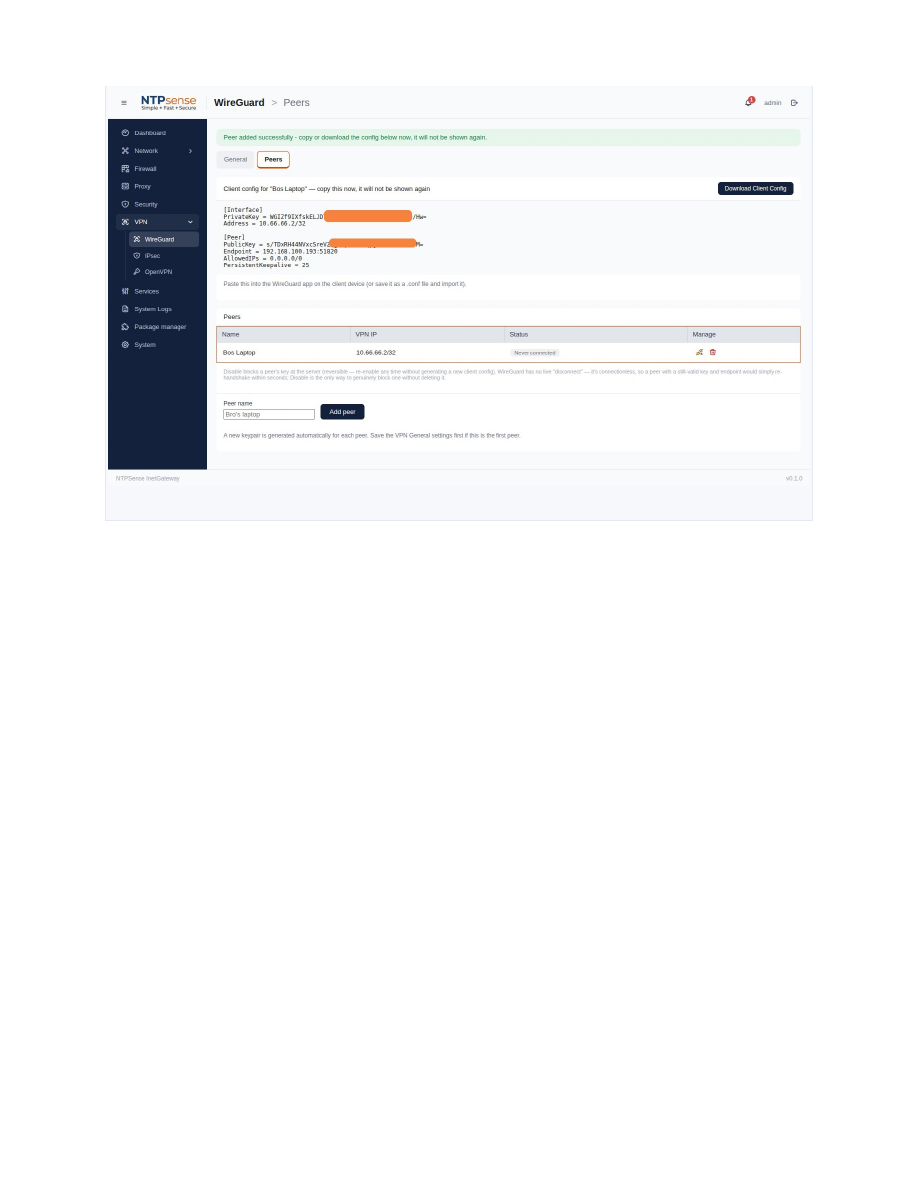 WireGuard peer list
8.3 OpenVPN
Requires a one-time PKI setup before any client or site can be created.
- Initialize the PKI (can take up to a minute).
- Add a Remote Access Client and download its .ovpn profile.
- Import into the OpenVPN client app.
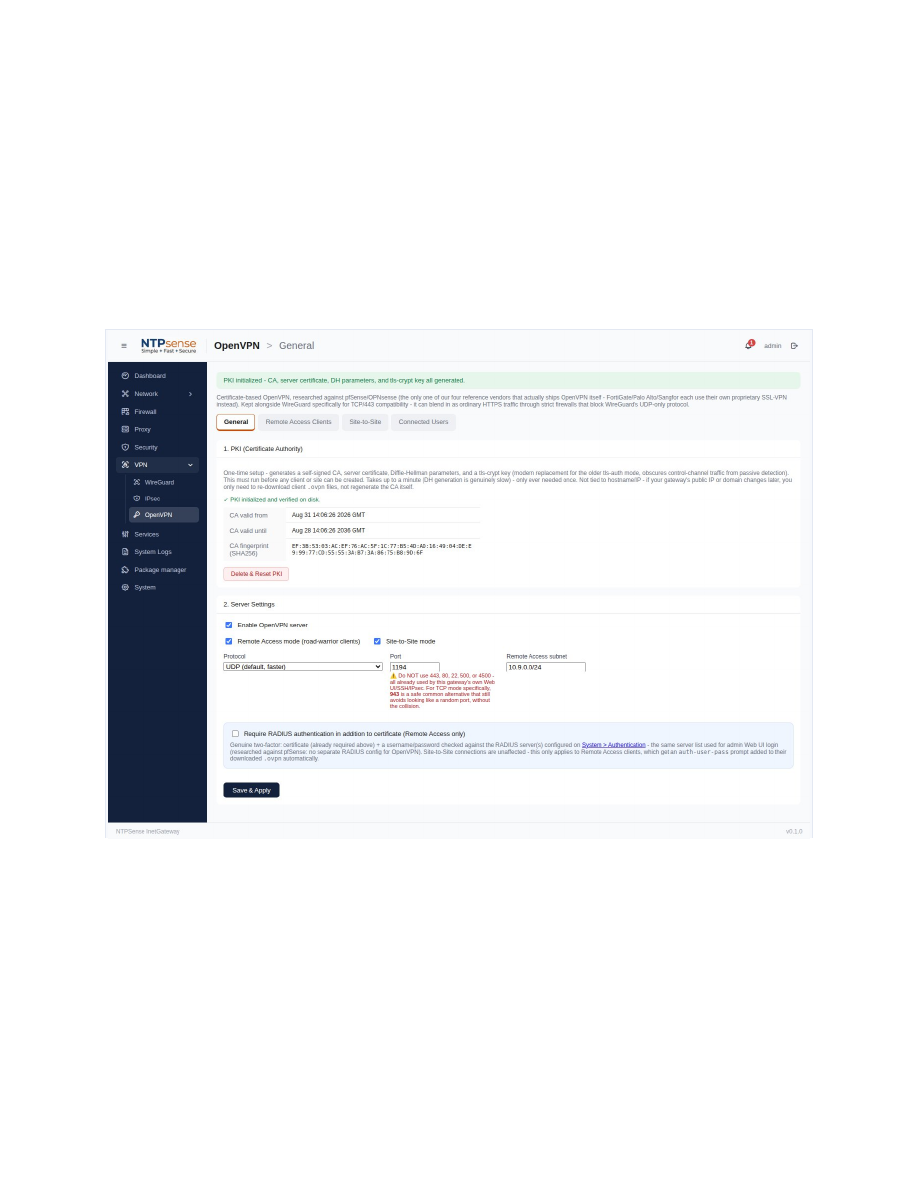 OpenVPN client management
8.4 IPsec
Built in two parts: Phase 1 (connection to the remote peer) and one or more Phase 2 entries (subnet pairs allowed to pass traffic).
- Add Phase 1 — remote peer address and pre-shared key.
- Under it, Add P2 — local and remote subnets.
- Configure the identical peer address, key, and mirrored subnets on the remote side.
Note
IPsec tunnels use "trap" mode by default — they only establish when matching traffic is sent, so "Not established" on an otherwise-correct tunnel just means no recent traffic.
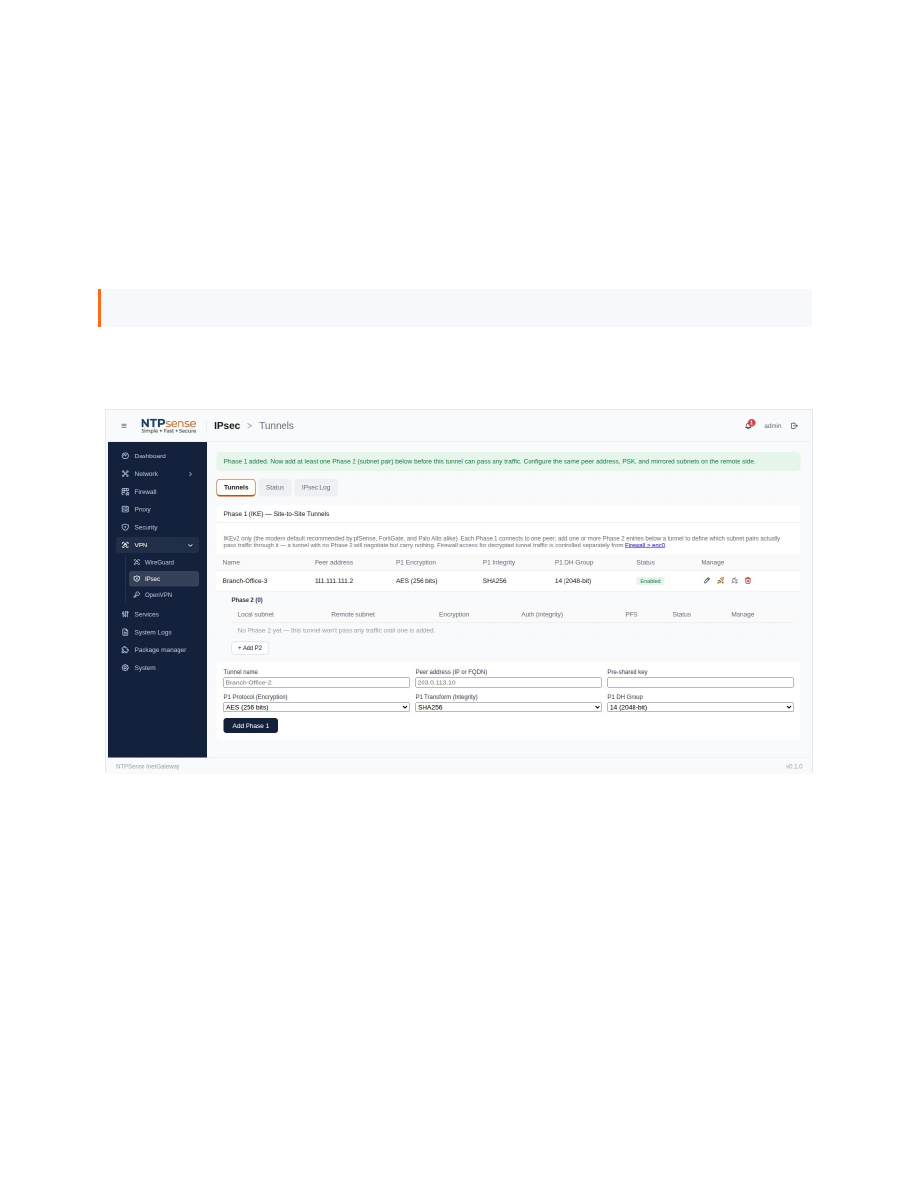 IPsec Phase 1 / Phase 2