6. Proxy
6.1 Overview
NTPSense CE includes Squid, a caching web proxy, for content filtering and bandwidth control. This is entirely optional.
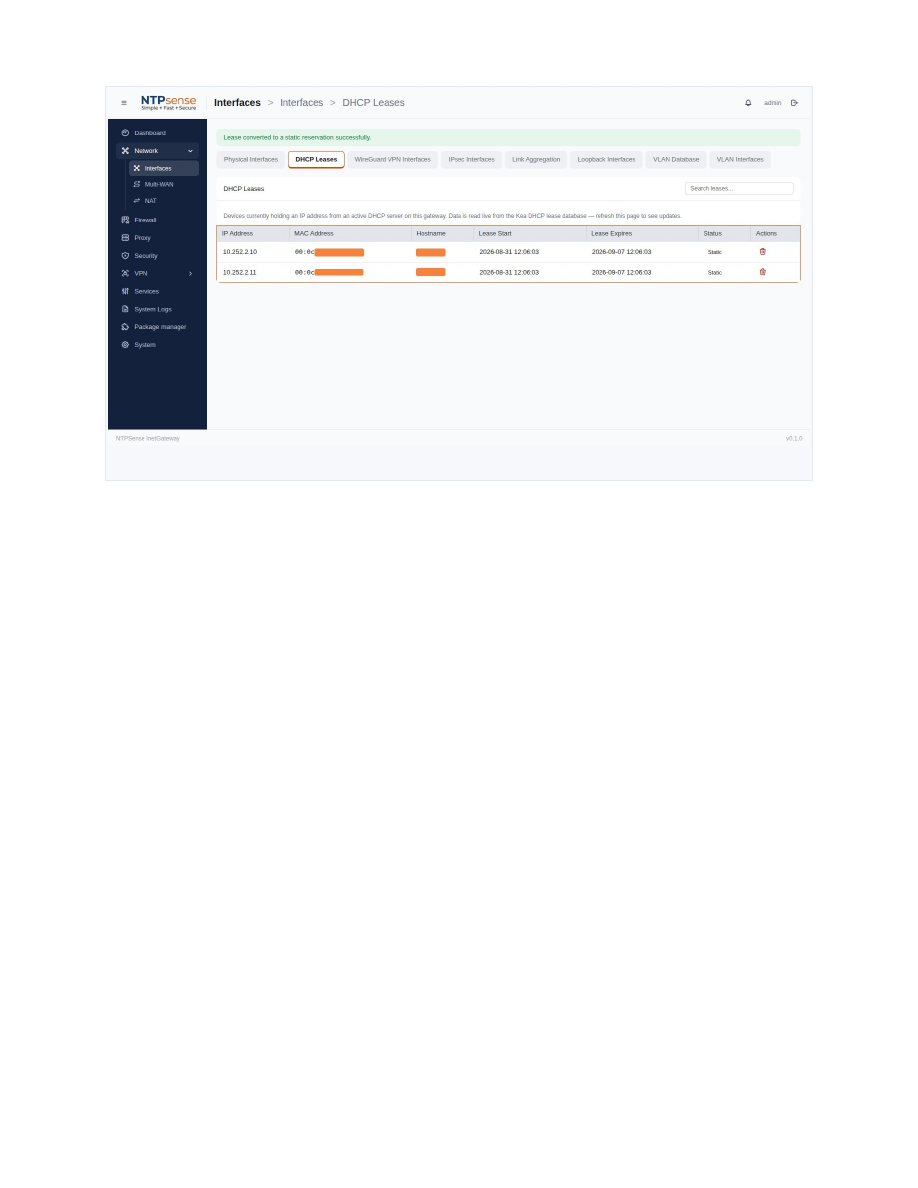 Proxy settings
6.2 General Settings
Enable the proxy and choose Transparent mode (no client configuration needed) or Explicit mode (client devices must be configured to use the gateway as their proxy).
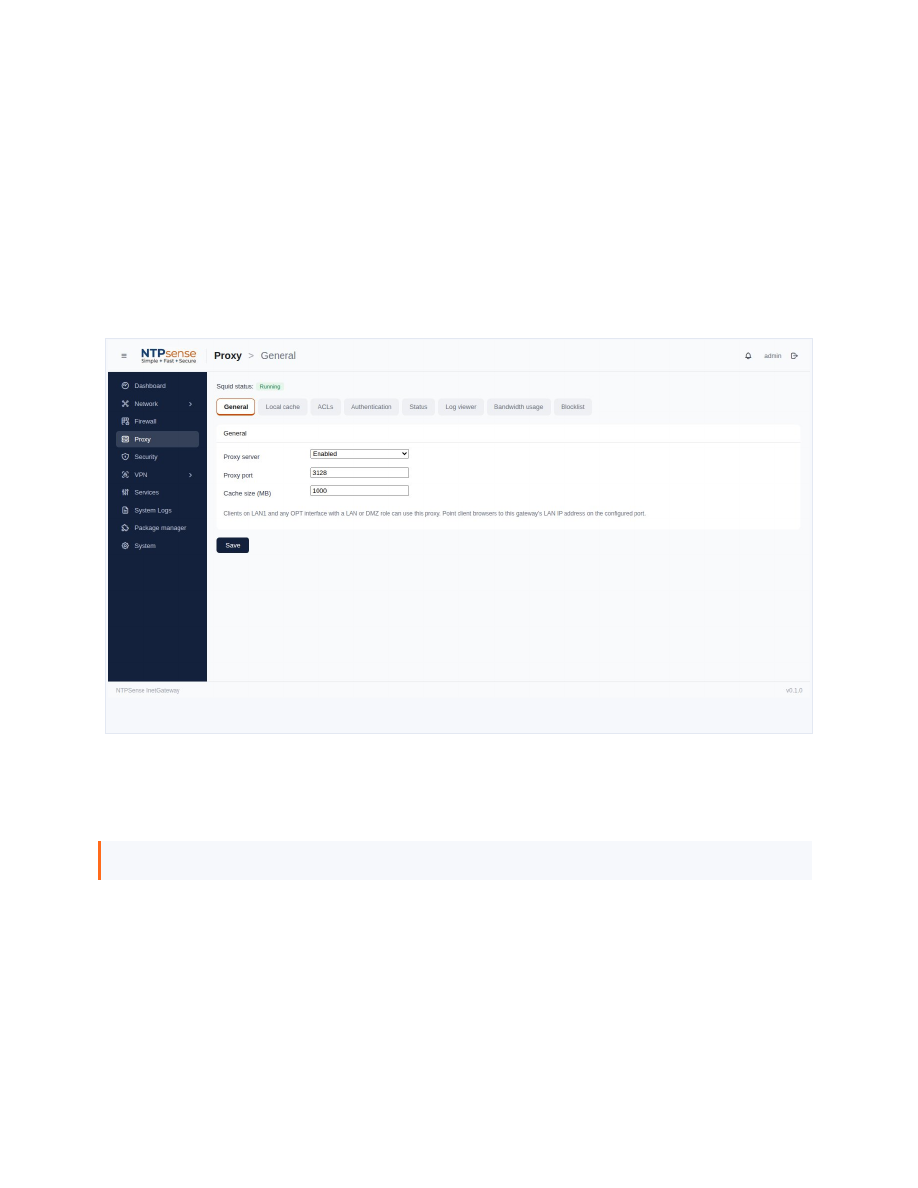 Proxy general settings
6.3 Blocklist Categories
Content categories (Ads, Malware, Phishing, Gambling, Adult Content, Social Media, and others) are sourced from the Block List Project and can be toggled independently.
Note
A "Fake News" category is intentionally not offered — categorizing news sources as legitimate or not is an editorial judgment this project does not make on your behalf.
6.4 Whitelist and Blacklist
- Whitelist — domains here are never blocked, even if covered by an enabled category.
- Blacklist — domains here are always blocked, checked before category lists.
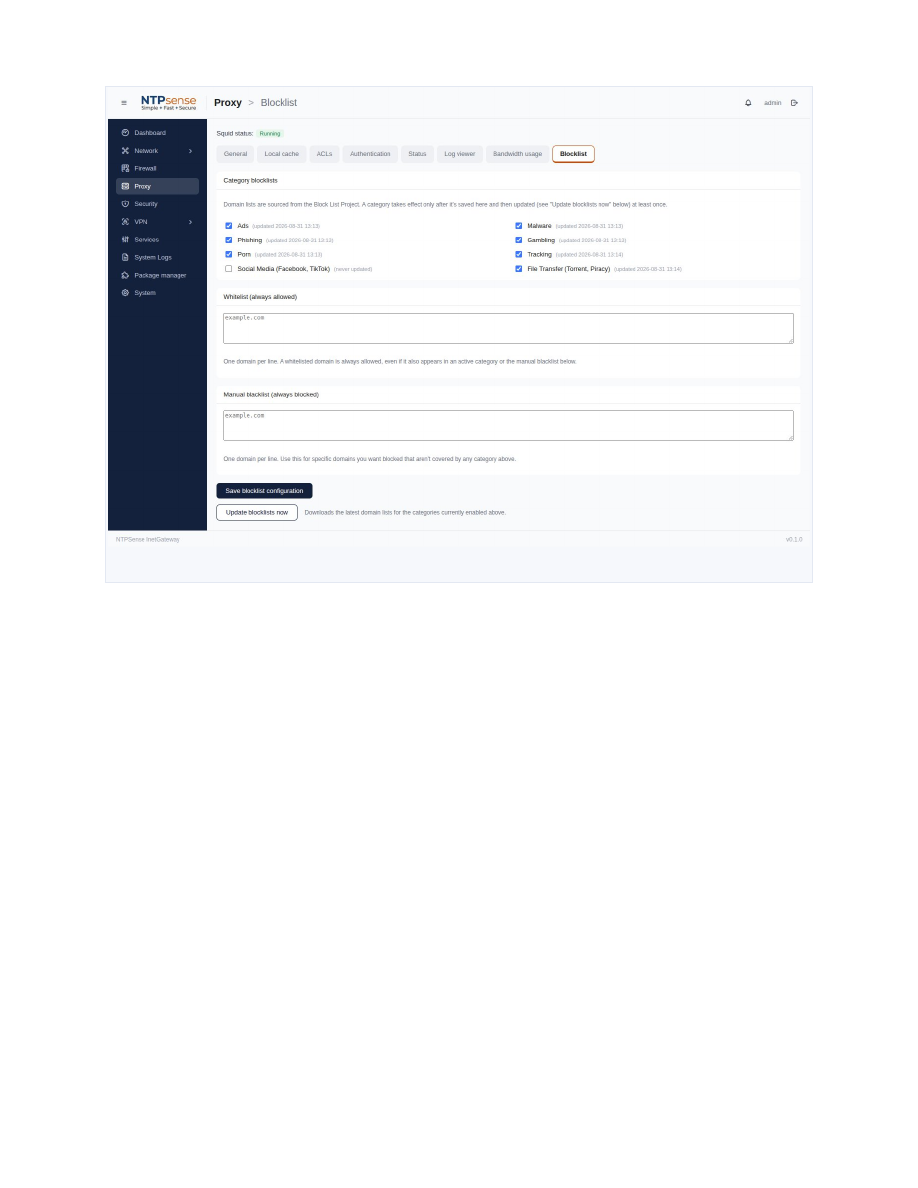 Whitelist / Blacklist configuration
6.5 Basic Authentication
Require a username and password before a device can use the proxy — separate from Web UI login accounts.
6.6 Log Viewer and Bandwidth Usage
See recent proxy activity and per-client data usage.
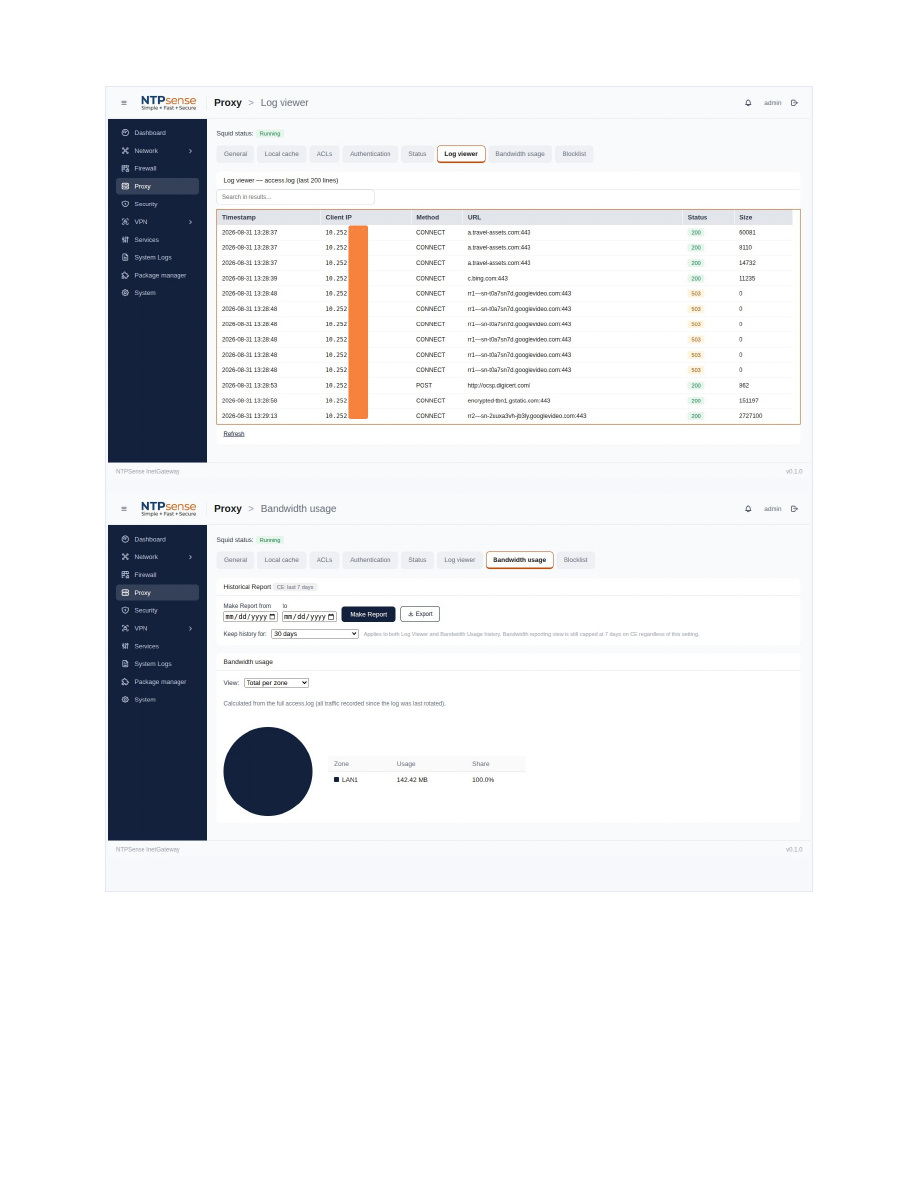 Proxy Log Viewer