4. Firewall
4.1 Overview
NTPSense CE's firewall is built directly on FreeBSD's pf (Packet Filter) — the same engine used by pfSense and OPNsense. Rules are evaluated top to bottom per interface: the first rule that matches a packet decides its fate.
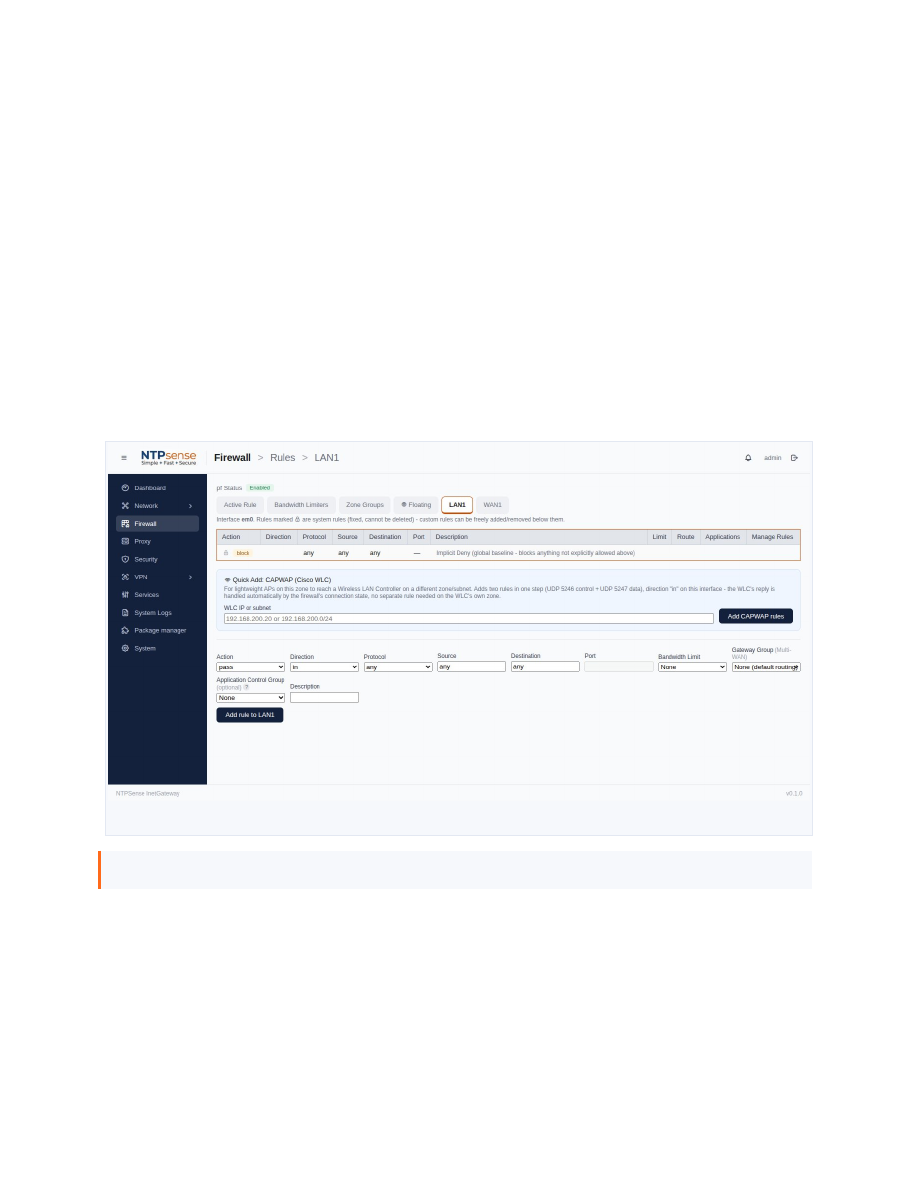 Custom Rules table
4.2 Custom Rules
- Go to Firewall and select the interface (or Floating, for a rule not tied to one interface).
- Click Add Rule.
- Set the action, source, destination, and port/protocol as needed.
- Save. The rule takes effect immediately.
Note
Rules are evaluated in the order shown in the table. If traffic isn't behaving as expected, check whether an earlier rule already matched it first.
4.3 Reordering Rules
Use the up/down controls next to each rule to change its position in the evaluation order.
4.4 NAT and Port Forwarding
The NAT page lets you forward a port from WAN1 to a specific internal device.
- Go to NAT and click Add.
- Enter the WAN port, the internal IP to forward to, and the internal port.
- Save. A matching firewall rule is created automatically.
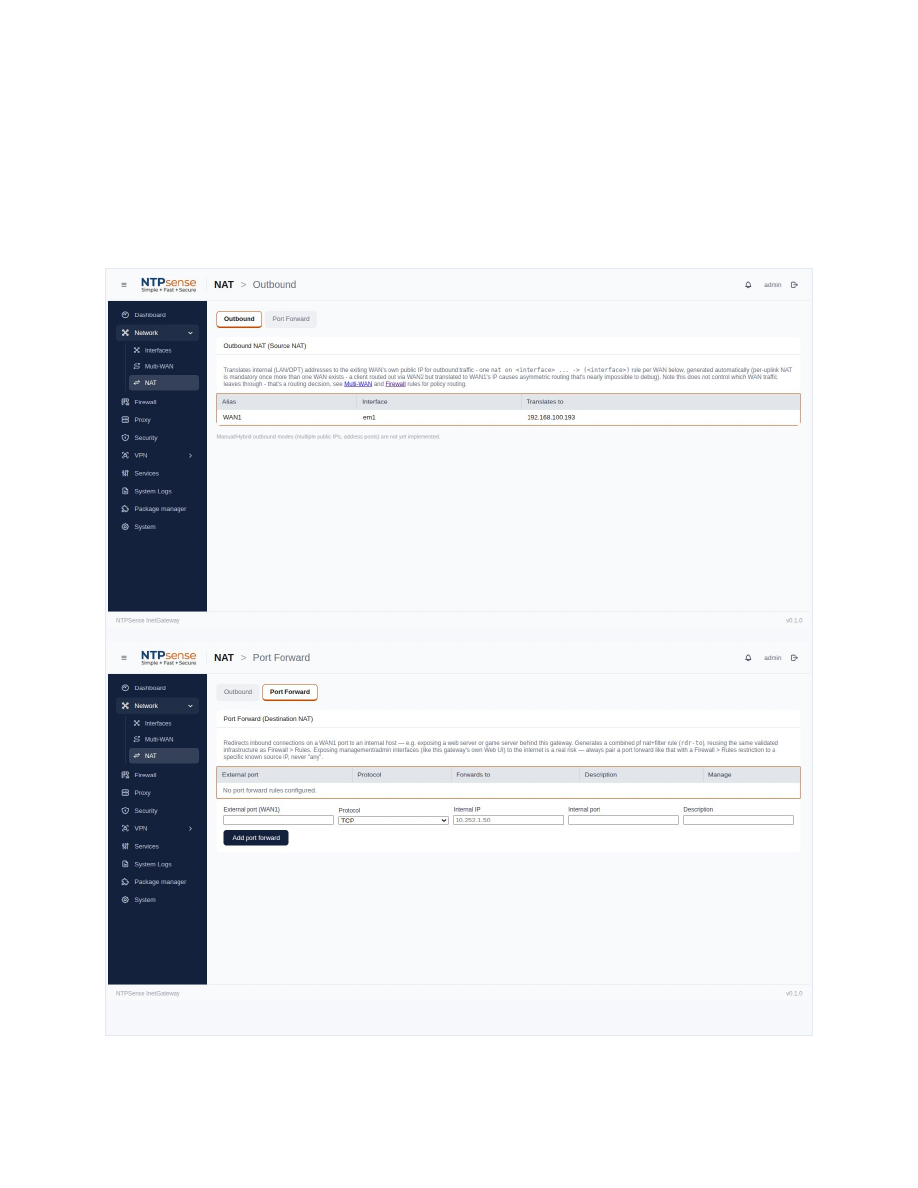 NAT / port forwarding form