2. Dashboard
2.1 Overview
The Dashboard is the first page you see after logging in — an at-a-glance view of the gateway's health: system resources, network status, and basic identification.
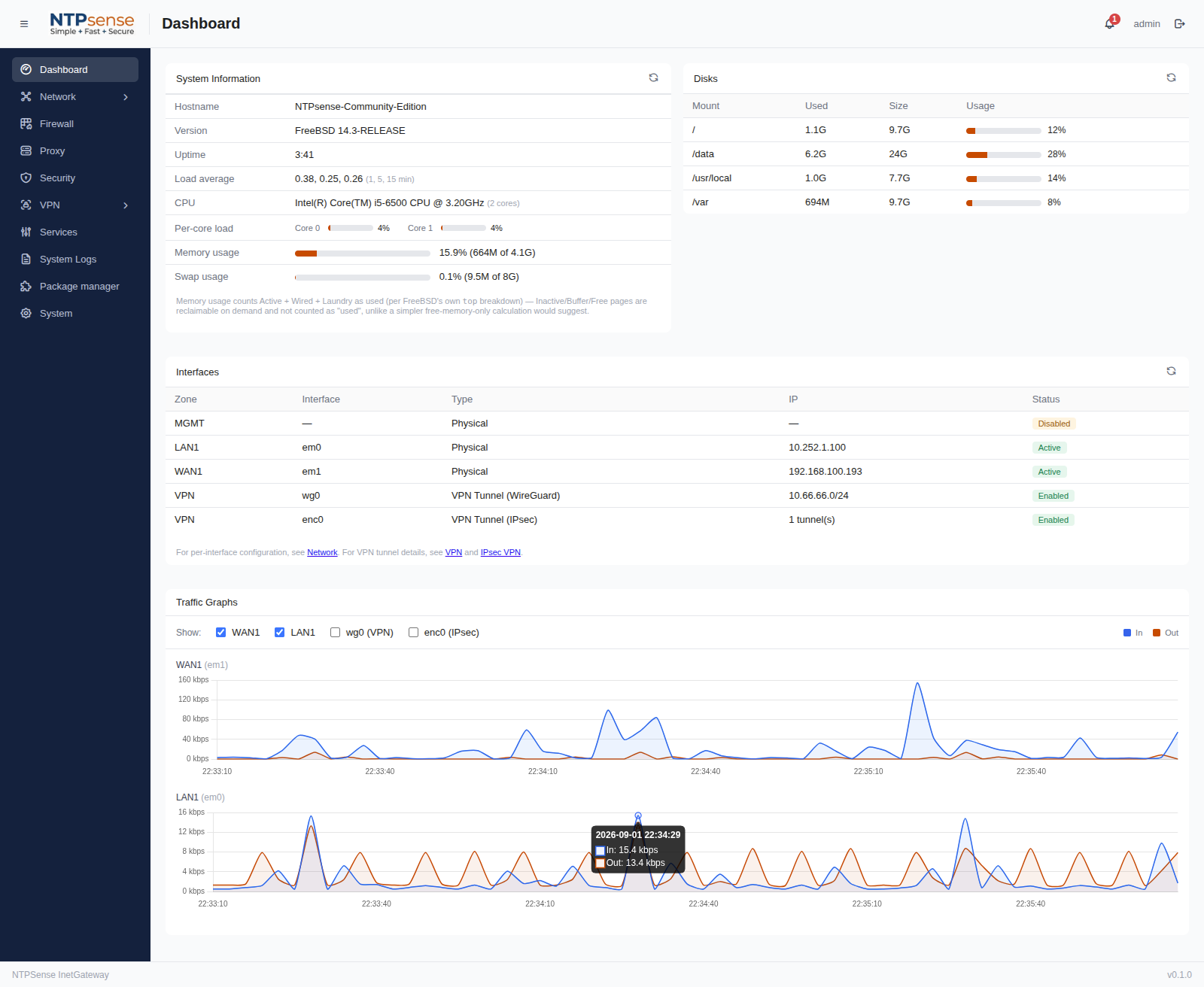 Full dashboard page
2.2 System Resources
The dashboard shows live CPU, memory, swap, and disk usage, refreshed automatically.
- CPU — shown per core (not just an aggregate number), along with the detected CPU model and core count.
- Memory — RAM currently in use versus total installed.
- Swap — how much swap space is active and how much is currently used.
- Disk — usage per partition (root, /var, /usr/local, and /data).
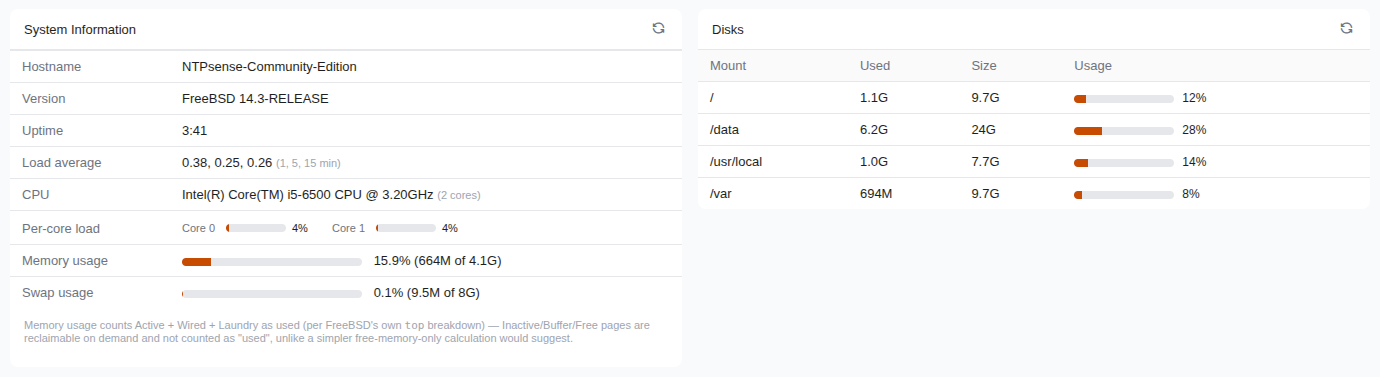
Per-core CPU load widget
2.3 System Identity
A summary panel shows the gateway's hostname, NTPSense version, FreeBSD version, and uptime.
2.4 Network Summary
A quick-glance table lists each configured interface, its assigned IP address, and whether it's currently up or down.