2. First Login
Connect a computer to the port labeled MGMT (or LAN1). Open a browser and go to:
https://10.252.252.100/ (MGMT, fixed address)
Log in with the default credentials (admin / admin) and change the password immediately when prompted.
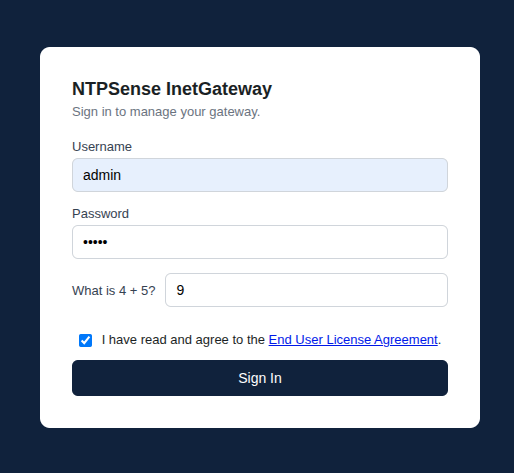
Login Page
Check the "I have read and agree to the End User License Agreement" then click Sign In button, then the change password window will pop up.
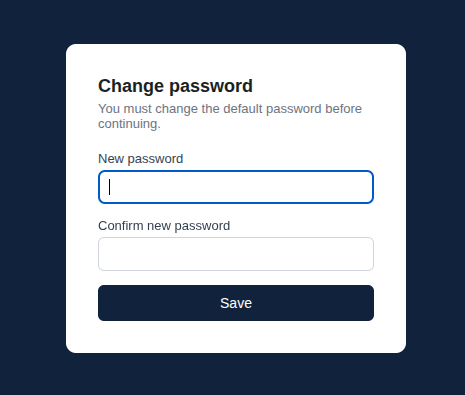
Change Password
Warning
Your browser will show a certificate warning on first visit — this is expected, since the gateway uses a self-signed certificate. Proceed past the warning to reach the login page.
Note
Changing your Web UI password also updates the matching console/SSH login automatically, so you only need to set it in one place.